How To Create and Set Up Room & Rate Plan
Overview
The Rooms & Rates feature is used to manage the room types and rate plans that will be available for reservations in PayKu Payment.
Before creating reservations, you must first set up your room types and rate plans. Once configured, these settings can be used when creating reservations, determining room prices, and managing booking policies.
How to Access Rooms & Rates
In the main page, click on "Settings". Then select Rooms from the dropdown menu. You will be directed to the Rooms & Rates page.

How to Create Room
- On the Rooms & Rates page, click Create Room Type.

- A pop-up window will appear. Fill in the required fields.
For example, if you want to create a Superior Double room type with 4 available rooms, enter
- Room Name: Superior Double
- Total Rooms: 4
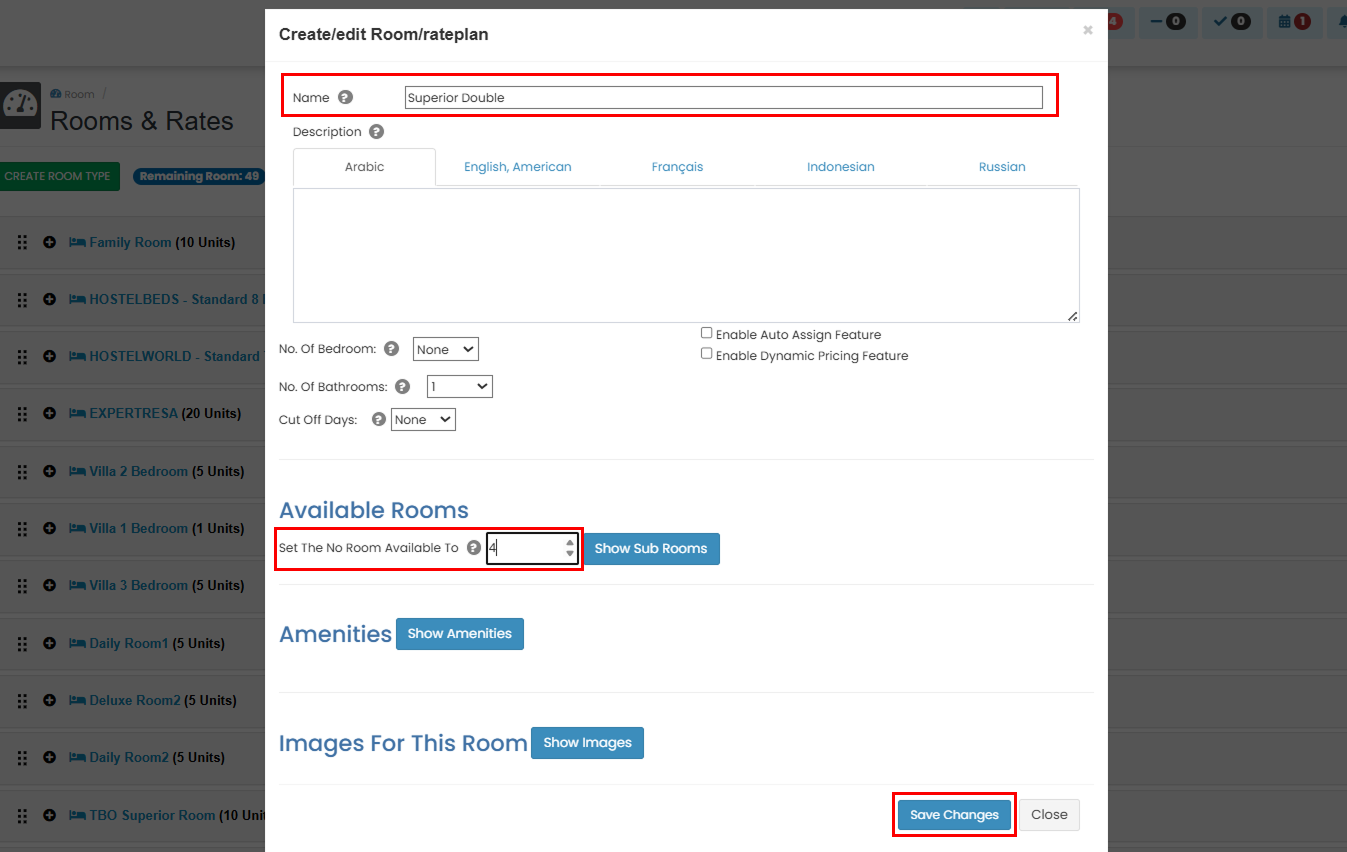
- Click Save Changes to create the room type.
How to Create Rateplan
After creating the room type, you can continue by creating a rate plan. In this example, we will create a Non Refundable rate plan.
- Click on the Create Rateplan button.

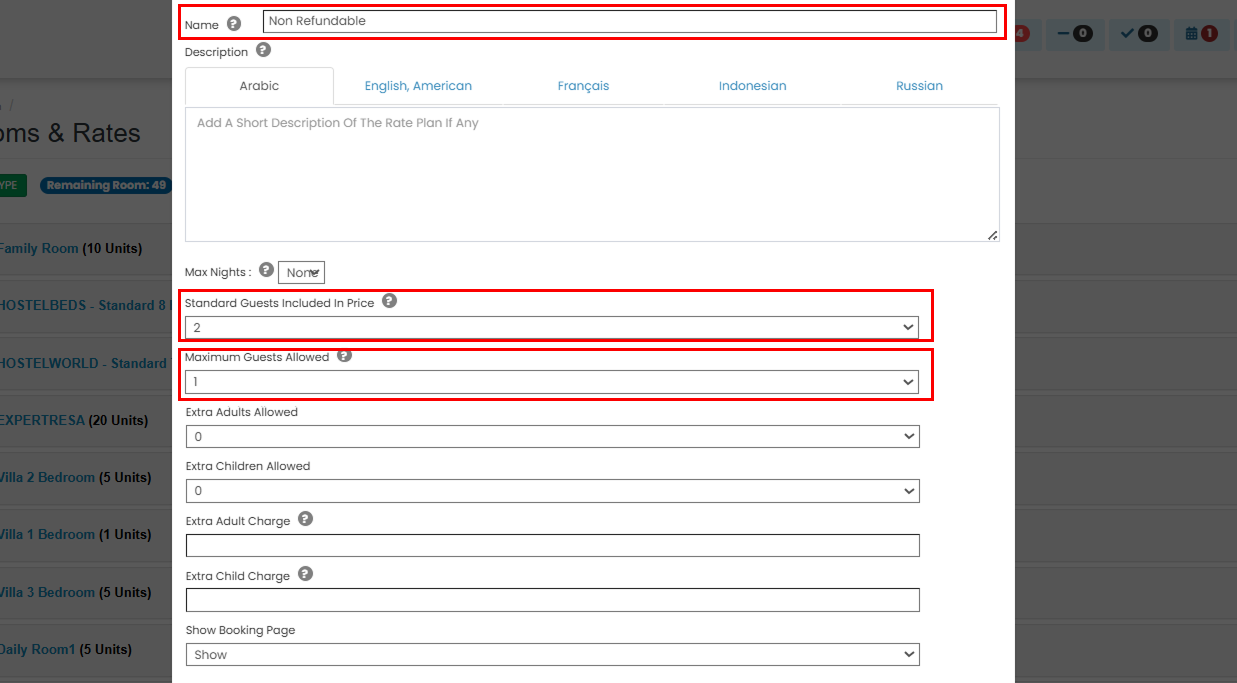
- A pop-up will appear. Complete the required fields. In this example, we will create a Non-Refundable rate plan:
- Enter the Rate Plan Name.
- Specify the Number of Guests Included in the Rate.
- Specify the Maximum Guests Allowed.
- Set the Default BAR (Best Available Rate) for the year.
- Under Cancellation Policy, select Non Refundable.
- In the Deposit Amount field, enter 100%.
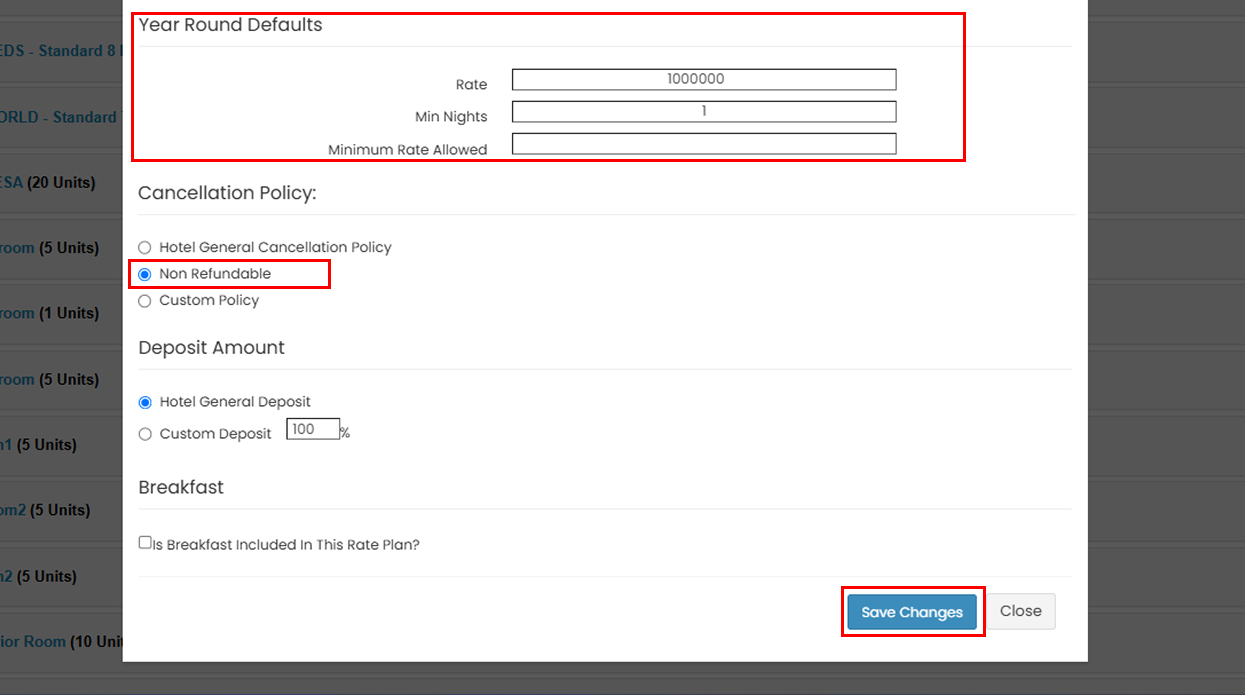
- After completing all required fields, click Save Changes. You can edit the rate plan later if needed.